How Teachers Can Quickly Create Educational Videos with Vidnoz AI

Educational videos are designed to convey information, teach concepts, or explain processes. These videos are used in classrooms, online courses, and training programs, making complex information more understandable. Producing educational videos is now easier than ever, thanks to advancements in AI technology.
In this article, we’ll provide a comprehensive overview of Vidnoz AI – a powerful AI video creation tool that makes it easy to produce various types of videos, including educational content. This guide will cover its key features, how to use it, and everything else you need to know.
Part 1: What is Vidnoz AI?
Vidnoz AI is an efficient, online platform that enables every person regardless of background, education, experience, or activity type (educators, marketers, content creators, artists, and so on) to create professional videos in a few minutes with the help of smart AI solutions. Provides more than 1600 realistic avatars, 2800 ready-made video templates as well as a rich collection of 1830+ natural-sounding artificial intelligence voices in many languages and styles. The most outstanding thing with this tool is that it is a certified tool with the ISO/IEC 27001 on Information Security Management.
Also, a user-friendly interface is presented by Vidnoz AI and it is most applicable to non-tech and user who is just beginning; they can produce quality video without professional assistance. The Vidnoz AI has a rich collection of AI instruments that include AI Talking Avatar, AI Cartoon Generator, AI Voice Changer, and AI Script Generator. These tools allow their users to easily create videos that appear interesting and professional look, which they can use in education, marketing, and social media.
Part 2: Key Features of Vidnoz AI for Educators
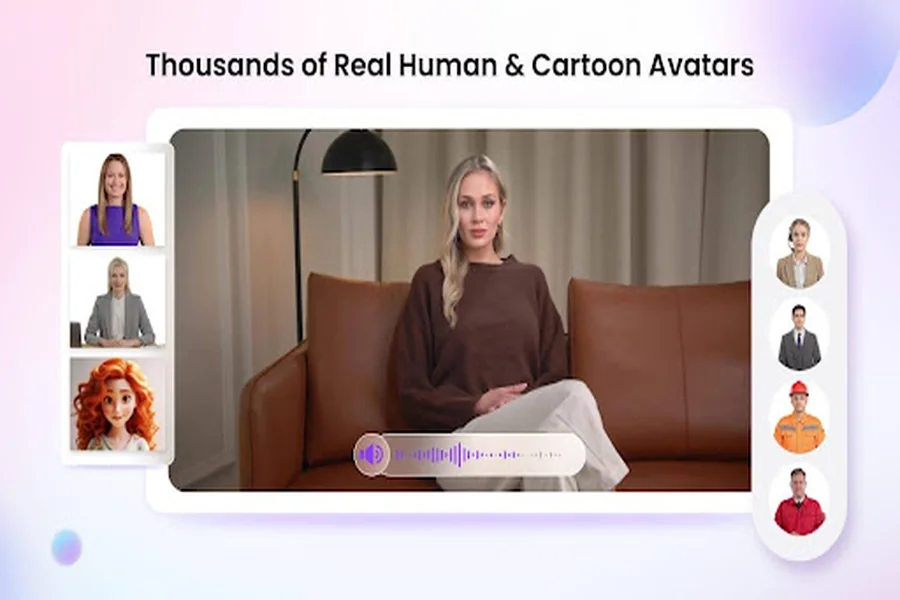
Vidnoz AI is a game-changing tool for teachers looking to enhance their lessons with engaging video content without needing technical skills or expensive equipment. Here are some of its standout features for teachers:
- Pre-Designed Video Templates: Vidnoz AI offers 2800+ Video Templates for different types of videos, including educational, tutorials, product demos, breaking news, and more. Plus, users can also use custom templates to accelerate the brand video creation.
- Professional AI Avatar: The program includes 1600+ AI avatars from different industries and roles, such as doctors, hosts, customers, supporters, teachers, students, and more. In addition to a library of realistic avatars, users can choose from several creation options, such as Avatar Lite for quick creation and Avatar Pro for deeper customization.
- High-Quality AI Voices: It provides 1830+ natural-sounding AI voices in 140+ languages, each with a unique accent and characteristics. The standout feature of this tool is that all voices are powered by ElevenLabs, Google, and Microsoft.
- AI Video Wizard: Creating videos with Vidnoz AI is simple and intuitive. With the help of this, users can generate videos in minutes from a single prompt or any source material.
- Free Plan: Vidnoz AI offers a free plan, allowing users to create different types of videos for free. The free plan allows you to create a 3-minute video daily and offers features like templates, an avatar, and AI voices.
Part 3: Types of Educational Videos Users Can Create With Vidnoz AI
As mentioned earlier, Vidnoz AI enables educators to create a wide variety of educational videos quickly and effortlessly. Here are the main types of educational videos you can create with Vidnoz AI:
- Lectures and Presentation: Break down complex concepts into easy-to-understand visual lessons using AI avatars and engaging visuals. Ideal for subjects like Math, Science, History, and Grammar.
- Course Introduction: Introduce new courses or lectures with a professional-looking video that outlines learning objectives, materials, and more.
- Language Learning Videos: Vidnoz AI allows users to translate videos in 140+ languages. With this program, teachers can create language learning videos easily.
- How-To & Tutorial Videos: Demonstrate how to use a tool, software, or perform a process — ideal for tech classes, science labs, or digital skill training.
- Homework & Assignment Instructions: Create short videos explaining how to complete specific homework tasks or projects. This helps students better understand what’s expected.
Part 4: How to Create Educational Videos With Vidnoz AI?
With Vidnoz AI, creating AI videos is simple and intuitive. Here are the step-by-step instructions on how to create educational videos with Vidnoz AI:
- Navigate to the Vidnoz AI official site and click on the “Create Free Video Now” button. Choose a template and avatar for your video.
- Input video text or script and choose the voice. Users also have the option to create videos in 140+ languages, including English, Spanish, Turkish, and Italian.
- Now, use the AI Video Editor to customize videos according to your needs. It allows you to change the background, insert text, and add music.
- Once all customization is complete, click on the “Generate” button to begin the video creation process. After the video is generated, preview it and click on “Download” to export it in a popular video format.
Part 5: Final Thoughts
Educational videos have emerged as one of the most eminent methodologies of learning, sharing and teaching about something in the digital era. Vidnoz AI is one of the most promising tools to make the videos of high quality in the various styles. This guide will offer you all the information that you needed to know about this incredible AI tool.