Articles
Filter Fatigue Is Real: Why Image Enhancement Beats Over-editing Every Time
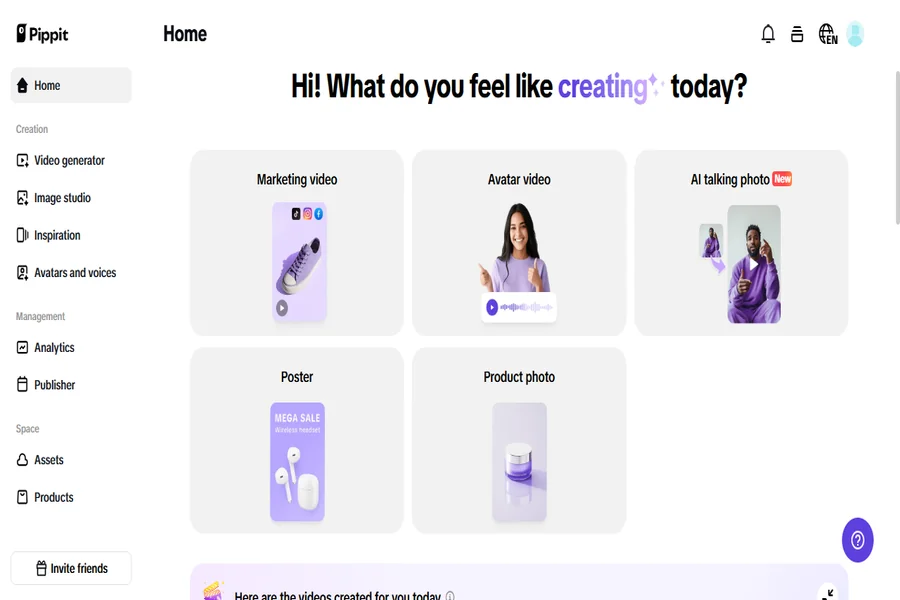
Once upon a time, Instagram pictures were all washed in hues of orange and teal. Then came the vintage grain filter era with its grainy vintage filters, endless smooth skin effects, and glaring brightness. Filters were a thrill till they ceased being real. Now, we’re sliding into an authenticity-geared realm where everything seems overedited. The hyper-saturated skies are swiped away for something totally different: natural, clean, high-quality images.
Welcome to the post-filter era, where the hype is not about appearing perfect; it’s about appearing real. And lo and behold, subtle image tweaking is the new glow-up using applications such as Pippit AI.
The rise and crash of filter obsession
Social media first used filters to make it easy for users to glamorize photos quickly. Instagram and VSCO introduced instant sheen — from skin-ing smoothing zits to altering the complete color tone of a photo. But expressive ended up becoming repetitive. Everyone’s beach scene looked identical. Every face appeared suspiciously perfect. Soon, filters transitioned from creative devices to cookie-cutter pitfalls. As time went by, artists and viewers both became aware of an increasing disconnect. Filtered pictures lost their effect. They didn’t involve viewers as much. Visual overload provoked what most refer to today as “filter fatigue.” And to counteract, there arose a new trend — authenticity, simplicity, and visual sincerity.
Why audiences are turning to real over rehearsed
Today’s social media consumers appreciate authenticity over perfection. And nothing appears more authentic than a clean, naturally lit photo that hasn’t been stacked with three layers of corrections. A refined yet real-to-life picture speaks. It seems credible.
That’s where image enhancement tools enter the picture. While heavy filters totally remake the appearance of your image, enhancement tools operate in the background — evening out lighting, refining details, and subtly boosting clarity without transforming the essence of the photo. You still look like you, but better lit and better posed.
Why image enhancement trumps over-editing every time
Tweaking a photo emphasizes subtle tweaks that allow the actual subject to shine through. It’s all about recovering detail, raising colors, or softening shadows — not covering up flaws or constructing illusions. Filters, in contrast, tend to use strong visual overlays with dramatic effects that alter skin tones, warp colors, or blur out critical textures.
And you’re a brand or influencer, then? Clean edits make you stand out amidst a crowd of over-stylized sameness. They say to your audience: “What you see is what you get.”
A creator’s best friend: Pippit’s smart image enhancer
If you’re searching to make the shift from filters to clean, natural transforms, Pippit offers a powerful and intuitive tool to do exactly that. Here’s how to use Pippit’s image enhancer in very simple steps:
Step 1: Upload your images
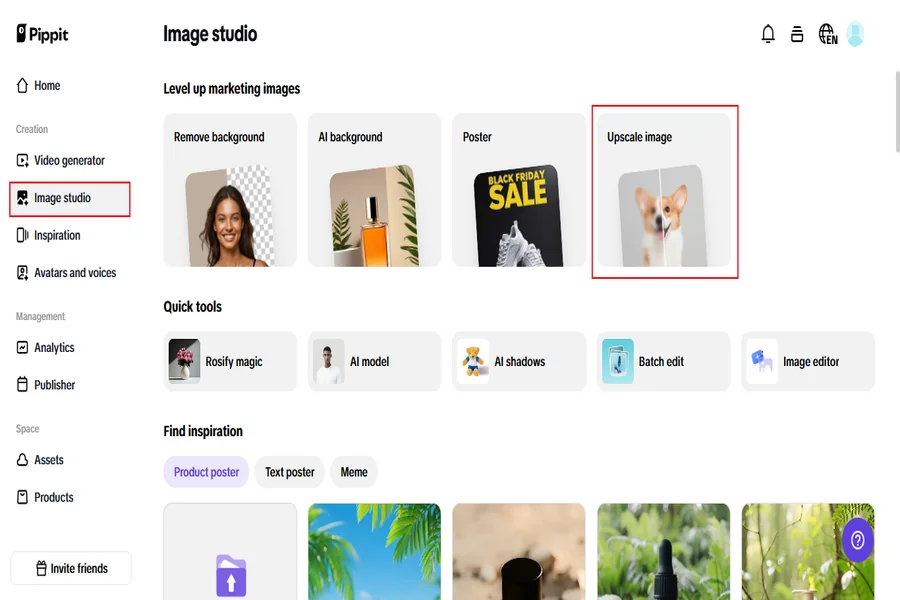
Begin by registering with Pippit and going to the “Image Studio” via the left-side menu. Click “Upscale Image” and select “Device” to import your photo. Alternatively, click “Image Editor,” upload your image, and choose “Image Upscaler” from the “Smart Tools” submenu. This enables the AI to automatically discover areas for improvement.
Step 2: upscale and edit your images
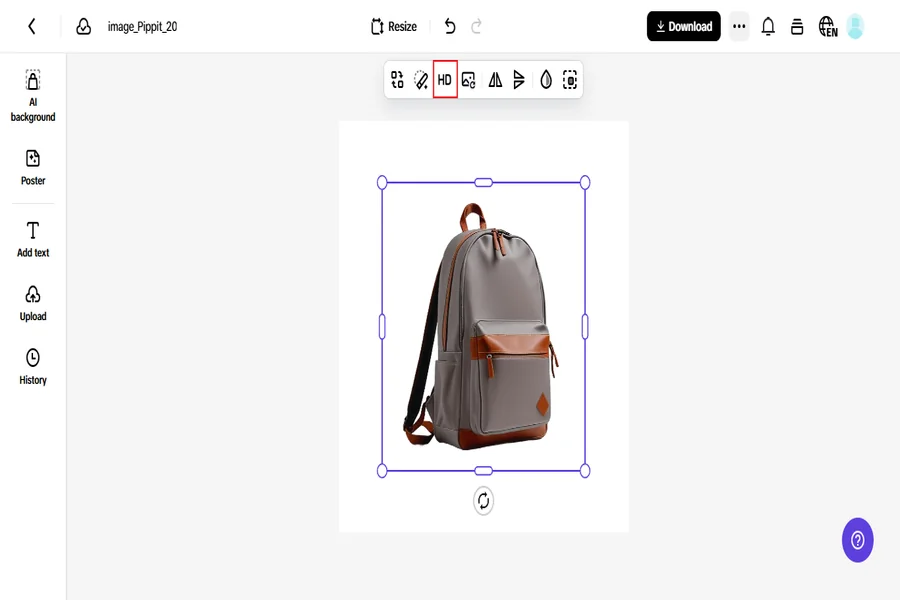
After uploading, you can utilize the “Retouch” for improving facial details or eradicating small blemishes, and “Effects” for improving color subtly. If your image has low light, use the “Low-Light Image Enhancer” to lighten and balance the tones. There are also features in Pippit that allow you to overlap text, insert shapes, create collages, and adjust textures and details — all while preserving your image’s natural and realistic appearance.
Step 3: export your images
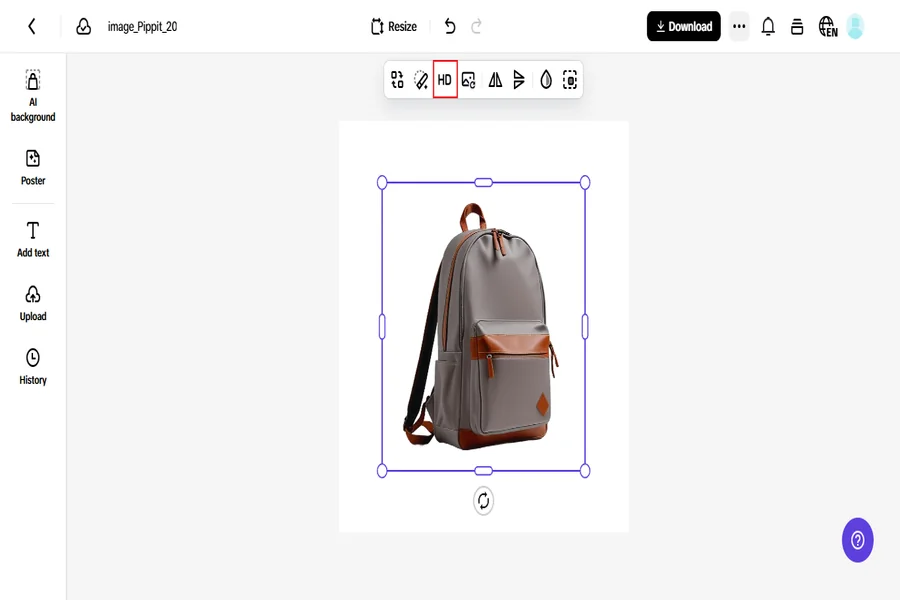
Once you’re happy with your improvements, hit “Download All” in the top right. Select your preferred format and size, and save your image to use in your social media updates, stories, website headers, or wherever you require high-quality images.
The clean edit movement is gaining ground
Increasingly, content creators are moving away from filters. Beauty bloggers are revealing real skin with subtle brightening rather than blur. Travel writers are presenting landscapes in their true hues, merely corrected for equilibrium. Entrepreneurs are taking pictures of products that appear as they look in life — just sharper and more radiant.
This trend is catching on because it’s effective. Clean images convey transparency and professionalism, particularly during an era when consumers are extremely attuned to genuineness. When your appearance appears authentic, your brand begins to feel authentic.
Clear content performs better — it’s that simple
Sharper images receive more engagement than filtered ones don’t — not because they’re garish, but because they’re readable. Social algorithms tend to favor good lighting and contrast-heavy content. They pause to view images that are relatable and real. And they tend to trust followers more content that appears authentic. It is also a more versatile clean, bright image. It can be posted on multiple platforms, turned into ads, added to a carousel, or even printed for a product catalog. That’s the long-term value of one well-planned, professionally improved photo.
Ditch the filters, not the polish
Ditching filters doesn’t entail posting unedited, raw photographs. It just means opting for enhancement rather than distortion. Through applications such as Pippit, you are able to come up with pictures that are sharp, balanced, and uniform, without resorting to the trap of sameness or artificiality.
As a designer, this strategy makes it easier for you to establish a solid visual identity. As a brand, it establishes credibility. And as an audience, it is a good feeling knowing that your content is an extension of who you are.
Last thought: let reality be your brand
Where audiences desire to connect rather than be curated, clean enhancement is your competitive edge. It makes you look visually contemporary without sacrificing your genuineness. So now, when you’re tempted to use that high-drama filter, try using Pippit instead. Clean it up. Sharpen it slightly. Balance the tone. Then upload it with confidence, knowing you’re putting your most real, and most radiant, self forward.
That’s not just editing smarter. That’s editing with purpose.